Rules
Rules
A rule is a piece of Python code that is applied on a channel of a datasource which can validates, estimate, calculate, forecast or do anything that is needed to the ingested data. Rules provide the flexibility to change the behavior of your processes without depending on platform release changes.
Rules mainly process timeseries data of a given datasource, but they also have access to tags, channels, channel classifiers and time-slice groups. Rules can operate on timeseries coming from an ingestion but they can also work on already stored data.
A flow consists of sequences of rules. In a flow, a pandas dataframe is carried over from the first rule to the last rule. The dataframe starts with the timeseries data of the source channel together.
All flows are made up of one or more rules, which can be found under the ‘Rules & Algorithms’ section in the Energyworx platform, separated by rule type:
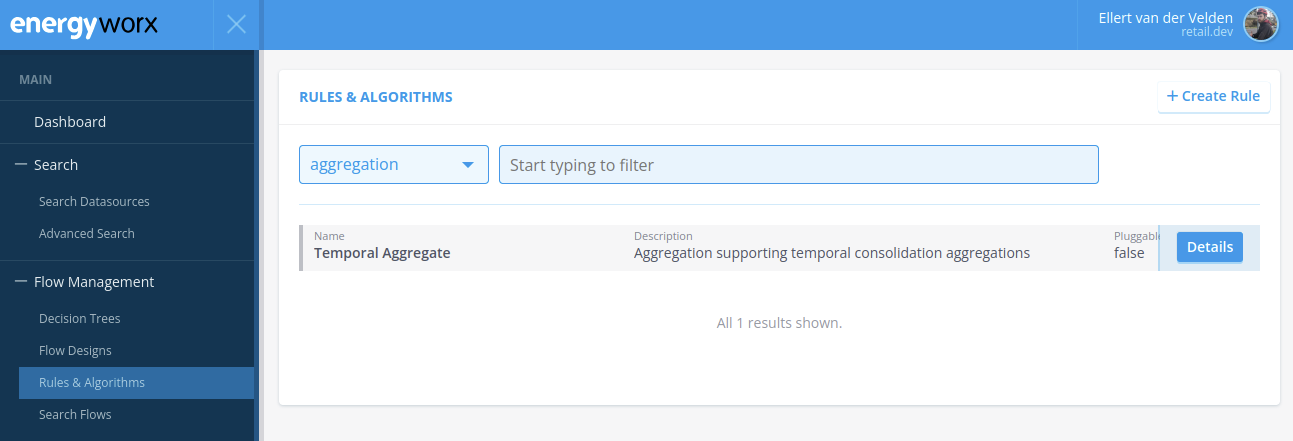
Within the platform, each rule has a specific rule type. The rule types can be customized and serve the purpose of categorizing rules that behave in a similar manner or are used for a similar process. New rule types can be introduced.
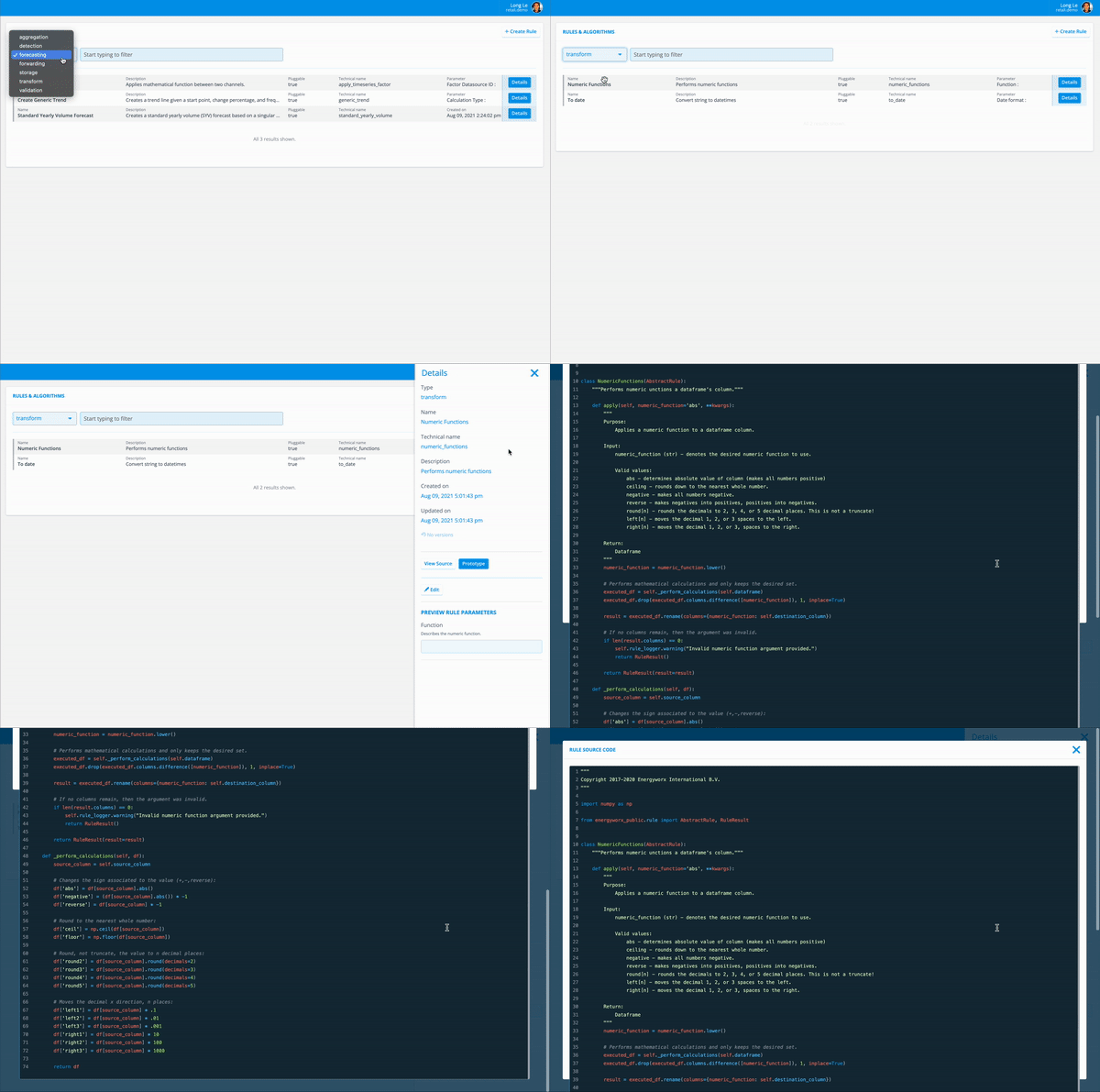
This page enables you to search for a specific rule, view its source code, and make adjustments if necessary.
This image shows a preview of a rule and how a user would go about accessing it:
The following sections describe the 2 main types of rules:
- Transform rules: they are used in Transformation Configurations. (See Transformation Configurations for more information)
- Flow rules: they are used in Flow Designs. (See Flow Designs for more information)
Transform rules
Transform rules run inside a Transformation Configuration while a file is being ingested. Each one takes a single incoming field and transforms it: dividing values by a factor, adding a prefix, mapping codes to other values, extracting part of a string with a regular expression. Transform rules can be chained, so a multi-step transformation is built from several small rules. They are the only rule type a Transformation Configuration accepts, and they subclass TransformRule rather than FlowRule, which gives them a much smaller set of attributes: the field being transformed, the parsed payload and the rule parameters, but no datasource or timeseries access.
For the base class, its attributes, parameters and return value, and a complete example, see Transform Rule Implementation.
Flow rules
Flow rules are the steps of a Flow Design. Each receives the flow's pandas DataFrame from the previous rule, can load further timeseries, tags and datasources through the rule framework, and returns a result the next rule builds on. They subclass FlowRule and implement prepare_context and apply.
For the structure of a flow rule, the framework methods it can call and design guidance, see Rule Implementation.
Working with rules
Rules go through three stages, each described on its own page:
- Configure — create the rule in the console and define its parameters: Rule configurations
- Implement — write the Python code blob: Rule Implementation
- Develop and test locally — iterate with IDE support and unit tests: Local Rule Development
Creating and editing rules requires the Rule Owner permission — see IAM and Permissions.