How to bootstrap a namespace
Creating a namespace
Before a namespace can be bootstrapped, it must first be created. To request a new namespace, contact the service desk. The namespace will be added to the platform configuration and a deployment will be scheduled. As part of this request, the namespace will also be assigned to a process pool, which determines which compute environment is used for data processing.
Once the namespace has been created and deployed, it can be bootstrapped.
Bootstrapping
Bootstrapping a namespace is necessary before it can be used, since this process creates the service users and the standard configurations — the default flows, channel families and channel classifiers. The BigTable and BigQuery tables and the storage buckets are created by the deployment that adds the namespace to the platform, not by the bootstrap. Some new features may require a bootstrap if they add standard configurations.
You can bootstrap a namespace by going to [Administrator] → [Namespaces]

Click the [Details] button of the namespace you want to bootstrap
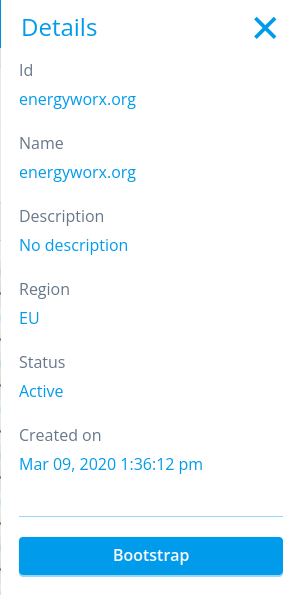
Click the [Bootstrap] button. This process can take a few minutes.
Checking whether it worked
The [Bootstrap] button reports success as soon as the work has been queued, not when it has
finished — so give it a few minutes and then check that the standard configurations are present: the
standard rules (store, chain_flow, split and the other defaults) and the
DATASOURCE_FLOW_CHANNEL channel classifier.
Bootstrapping a namespace again resets the standard rules to their original definitions. Any change made to those rules, including their code, is overwritten and no earlier version is kept.
So only bootstrap a namespace a second time if the standard configurations are genuinely missing. If they are, press [Bootstrap] again — it re-runs every step from the start rather than resuming. If a second attempt does not help, contact the service desk.