Machine Learning
The energyworx platform provides the functionality to execute custom ML models.
How to upload a ML model to the platform
Energyworx ML Serve capabilities support any XGBoost or SKLearn model. Uploading your models to the platform consist of the following steps:
1. Export your XGBoost model to a .ubj file with your_xgboost_model.save_model("xgboost_model_export.ubj") or your SKLearn model using the joblib module with joblib.dump(your_sklearn_model, "sklearn_model_export.joblib").
2. Upload the .ubj or .joblib file to the platform, using the file manager or the API endpoint for uploading files.
3. Retrieve the file_id for the .ubj or .joblib file by going to the API Documentation page, and using storage/files/search
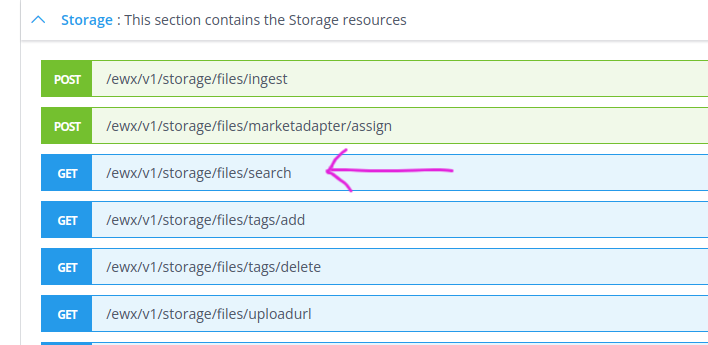
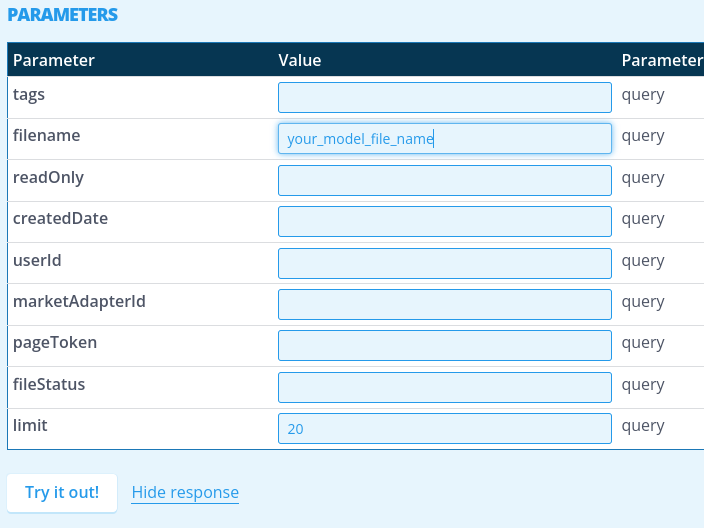
4. Search for your model export file using the filename, any tags that you have given it during upload, or other parameters.
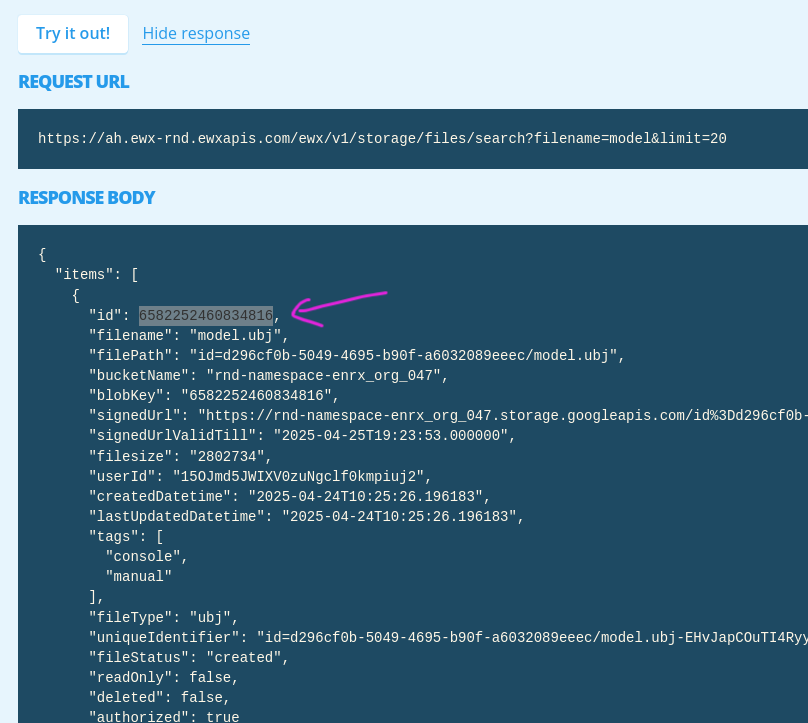
5. Locate the id. This is what you need in the following step.
6. Ingest the file to be a ML Model. For this, set the runtime ("sklearn" or “xgboost”), choose a display name and paste the id of the file as “fileID”. Click “Try it out!” to execute ingestion of the model.
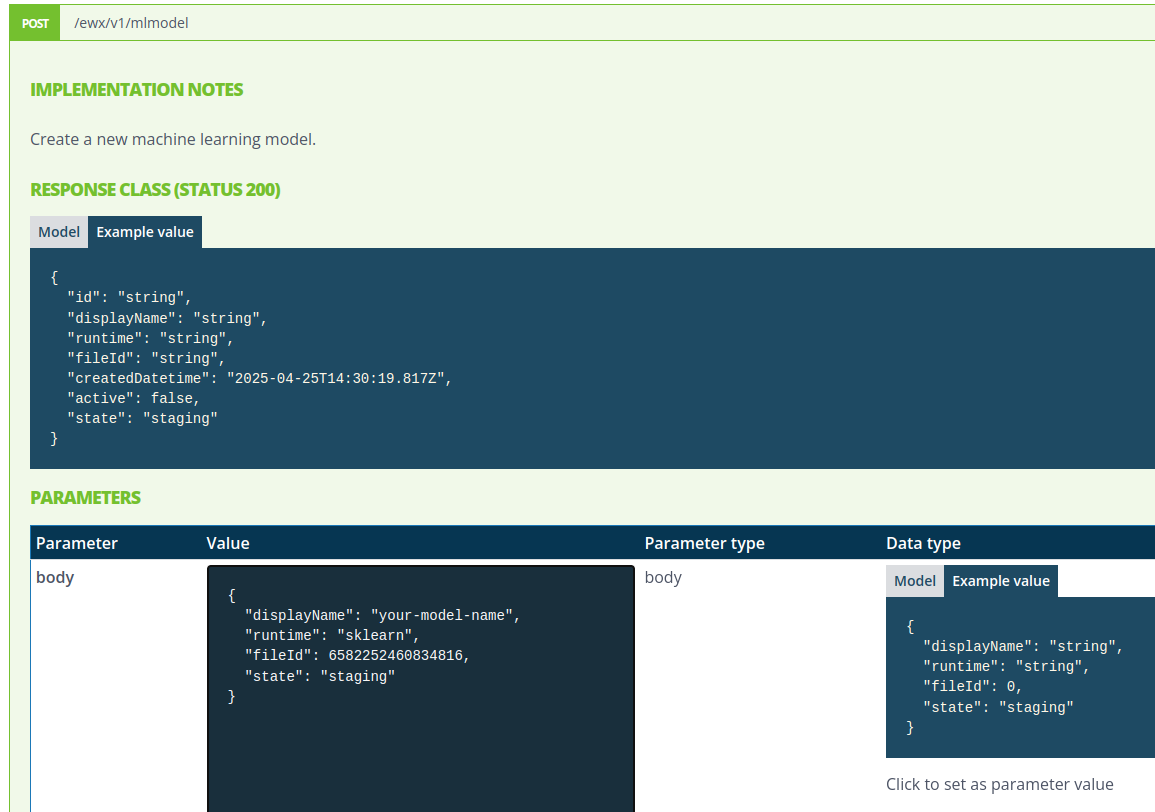
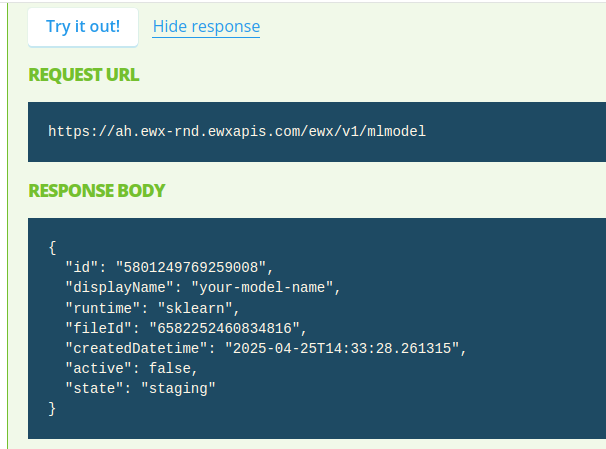
7. This results in a successful response with the model's id
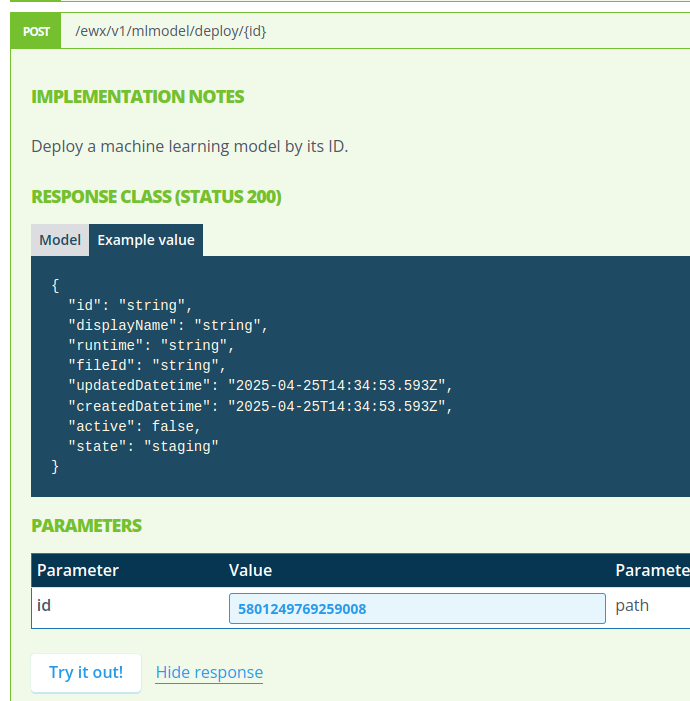
8. This model is then activated with the /mlmodel/deploy/id endpoint.
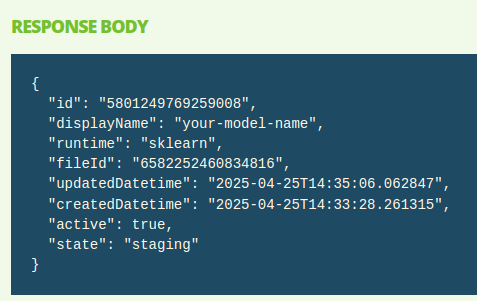
9. And after running the query with “Try it out!” returning that the model has been activated.
ML models use in rules
After training or uploading a ML model, you can use it in rules.
How to upload a ML model to the platform.md
1. Load the model.
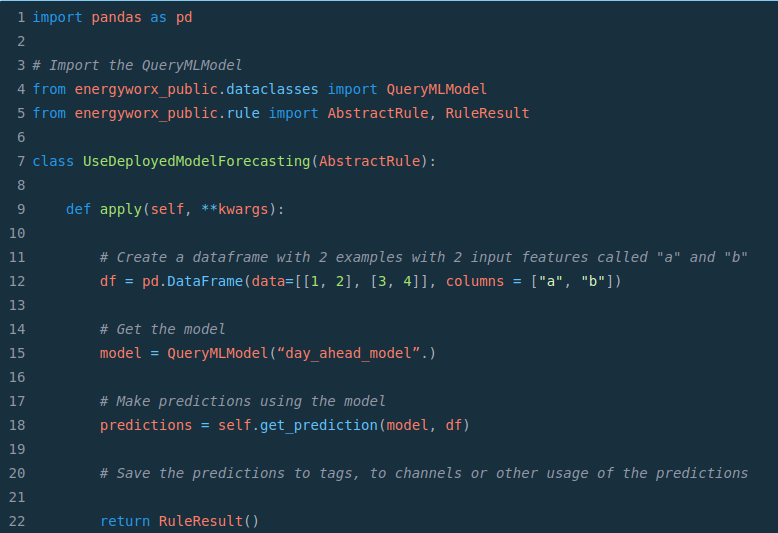
Firstly, import QueryMLModel with from energyworx_public.dataclasses import QueryMLModel.
Then, load the model using model = QueryMLModel("your-model-name"). Note that you change the model name, and hence the selected model, conditionally on any tags, file content, etc.
2. In the rule, load any data needed as input for the ML model (with the timeseries service or with the tags).
3. Do any preprocessing of input features, identical to the preprocessing used before training the model. Convert it to a pandas dataframe (features as columns, examples as rows)
4. Get predictions on the dataframe using predictions = self.get_prediction(model_name, df)
5. Store or process predictions as needed.
See below a very small example of a rule getting predictions from a model called “day_ahead_model”.